
Write papers together,
not over email.
A collaborative LaTeX editor for research teams. Real-time co-editing, isolated Docker compilation, and a self-hosted option that keeps data on your infrastructure.
Free to start on the hosted workspace. Self-host for full control.
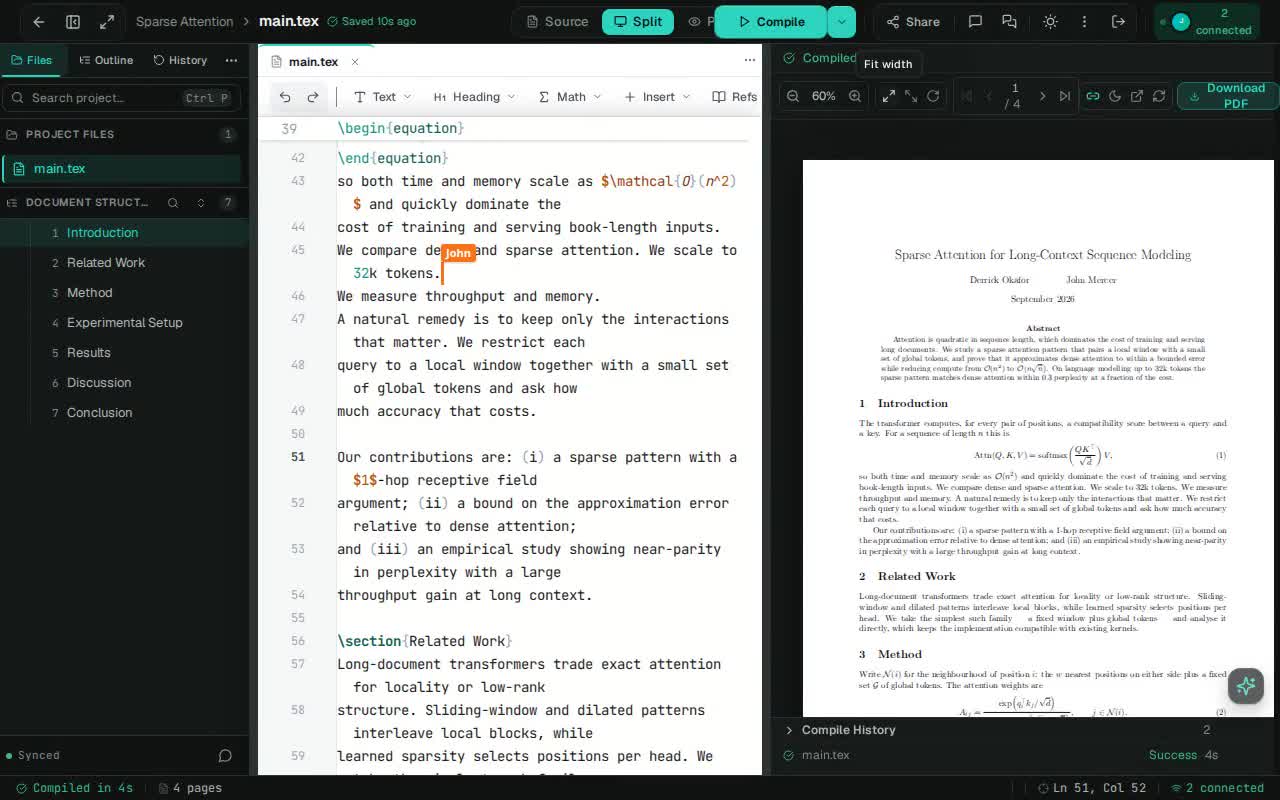
Stop emailing .tex files.
Write synchronously with your co-authors. See their cursors, resolve conflicts instantly, and never manage incremental file versions by hand again.
- Real-time multiplayer editing
- Live cursors on every open document
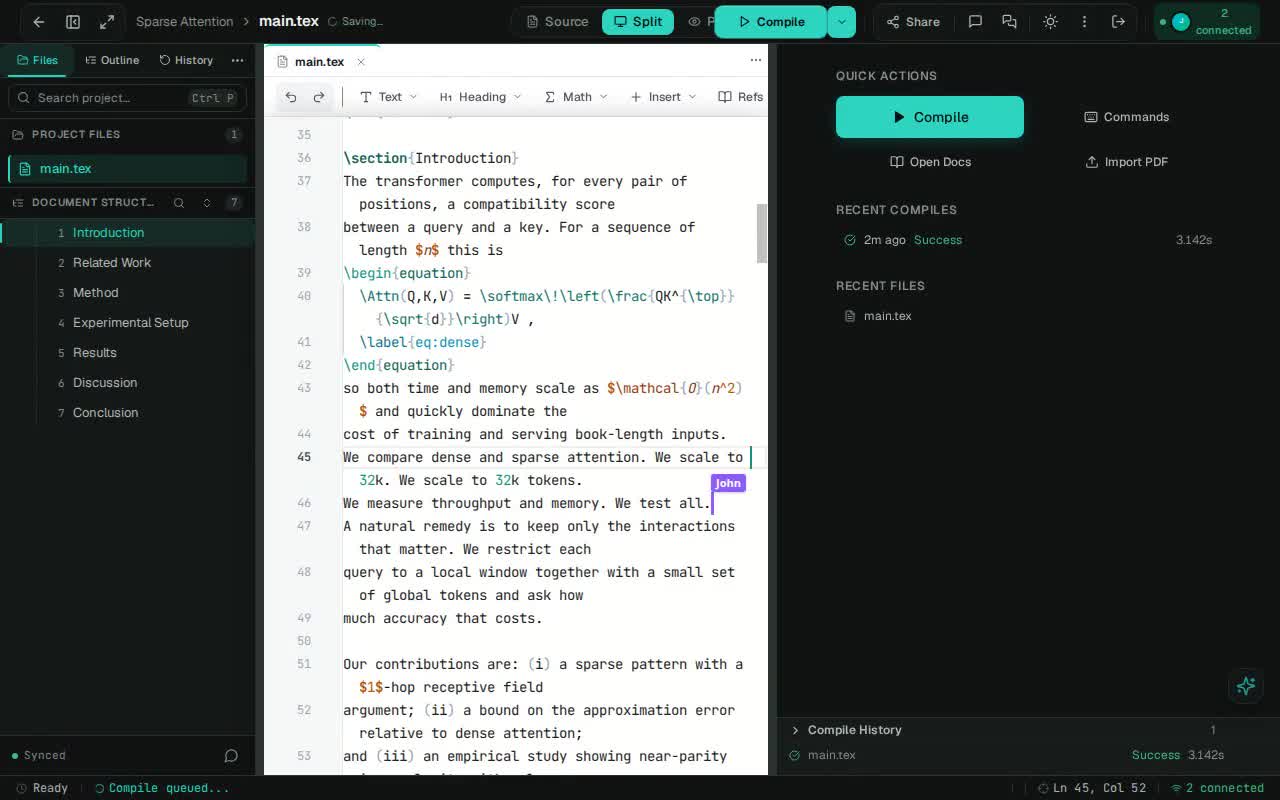
Already have a PDF? Start there.
Drop in a paper and get an editable LaTeX project — title, author block, section structure and tables reconstructed as source, not screenshotted.
TexStylus reconstructs the source and attempts a compile. Text-layer PDFs work best; math, figures, footnotes and scanned PDFs may need manual fixes.
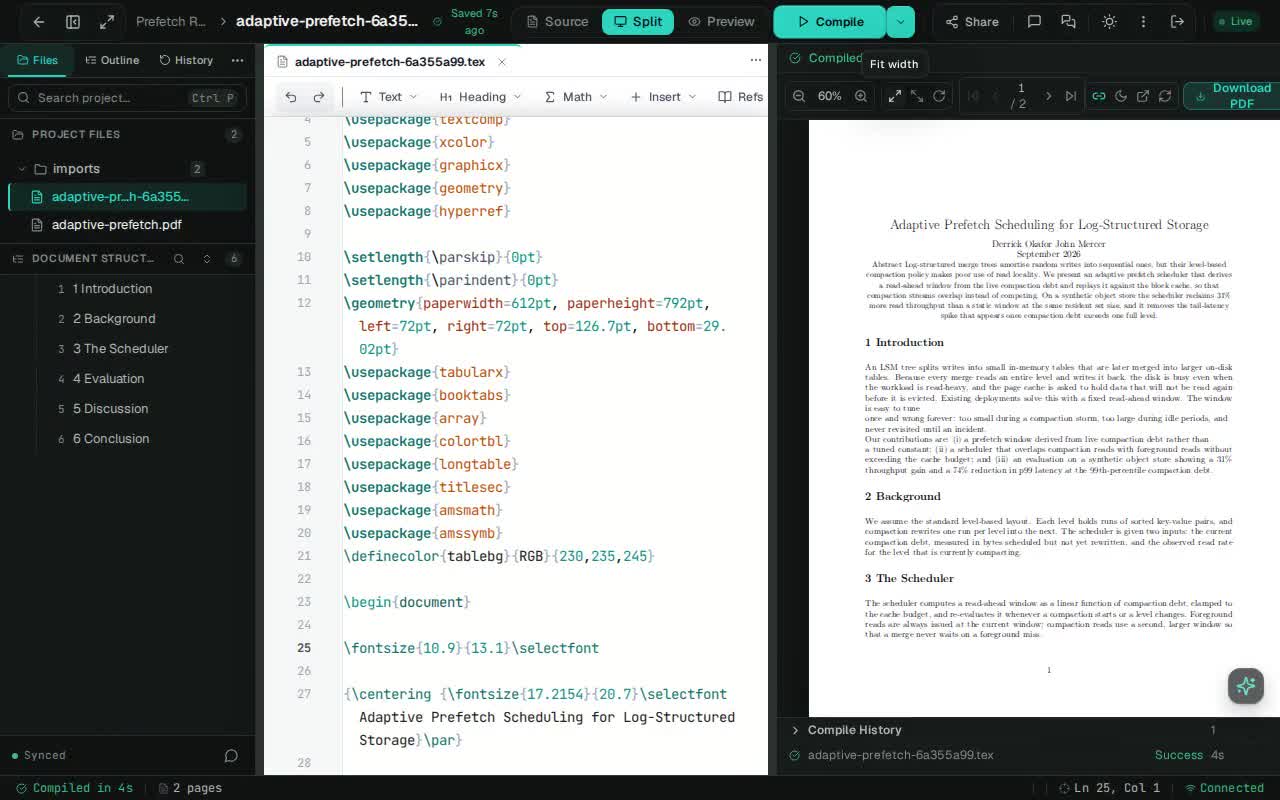
Ask the paper, not the chatbot.
Select text, ask questions, improve writing, and work with LaTeX — document-aware assistance without leaving the workspace.
AI is optional. On hosted workspaces, prompts that may include document text are sent to the AI provider configured for that workspace. Self-hosted deployments use the provider keys you configure.
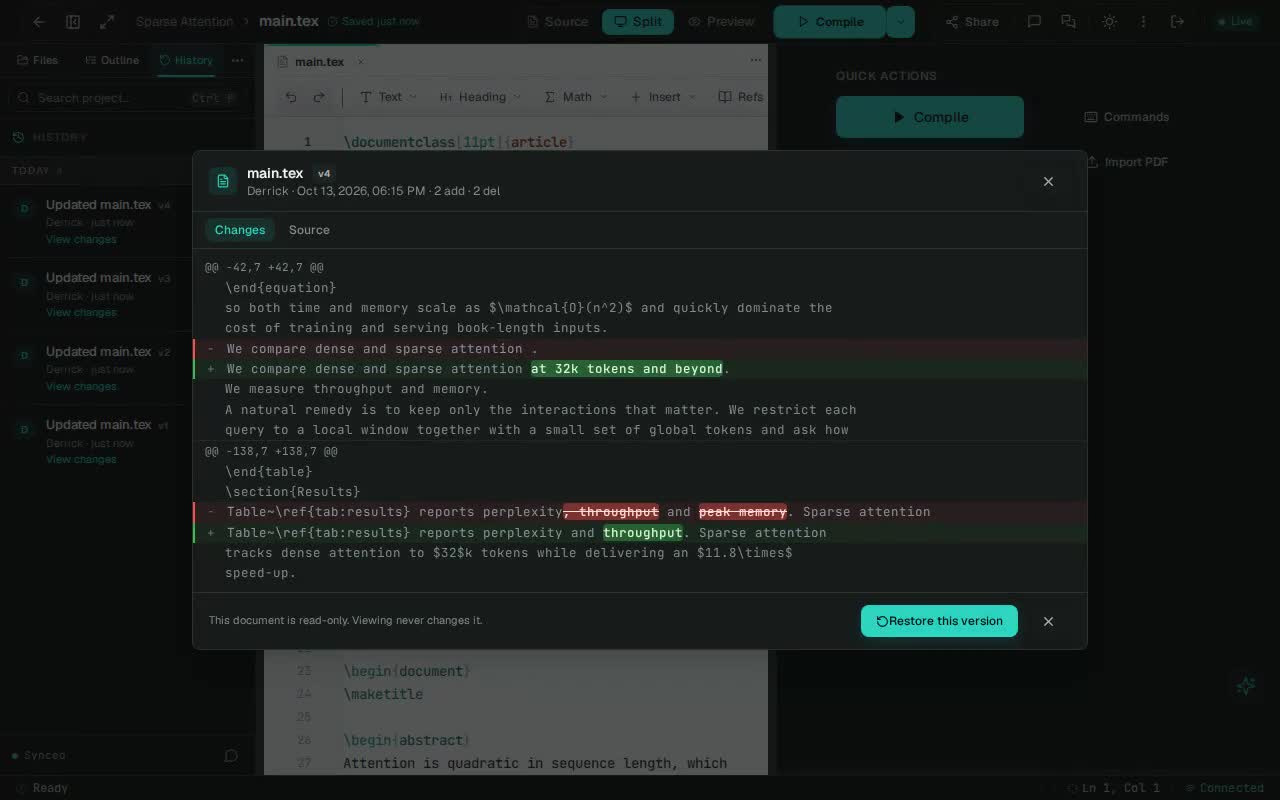
Every change has a history.
Automatically track every edit, addition, and deletion. Revert to any previous state without manually saving incremental files.
- One-click revert to any prior state
- Full audit trail of every contribution
Compile without sharing an environment.
Run heavy compilations in isolated Docker containers. Your long-running thesis compile won't slow down your quick edits on another paper.
- Isolated — Each compile runs in its own sandbox.
- Reproducible — Dockerized environments across machines.
- Bounded — Each build has CPU and memory caps on the shared host.
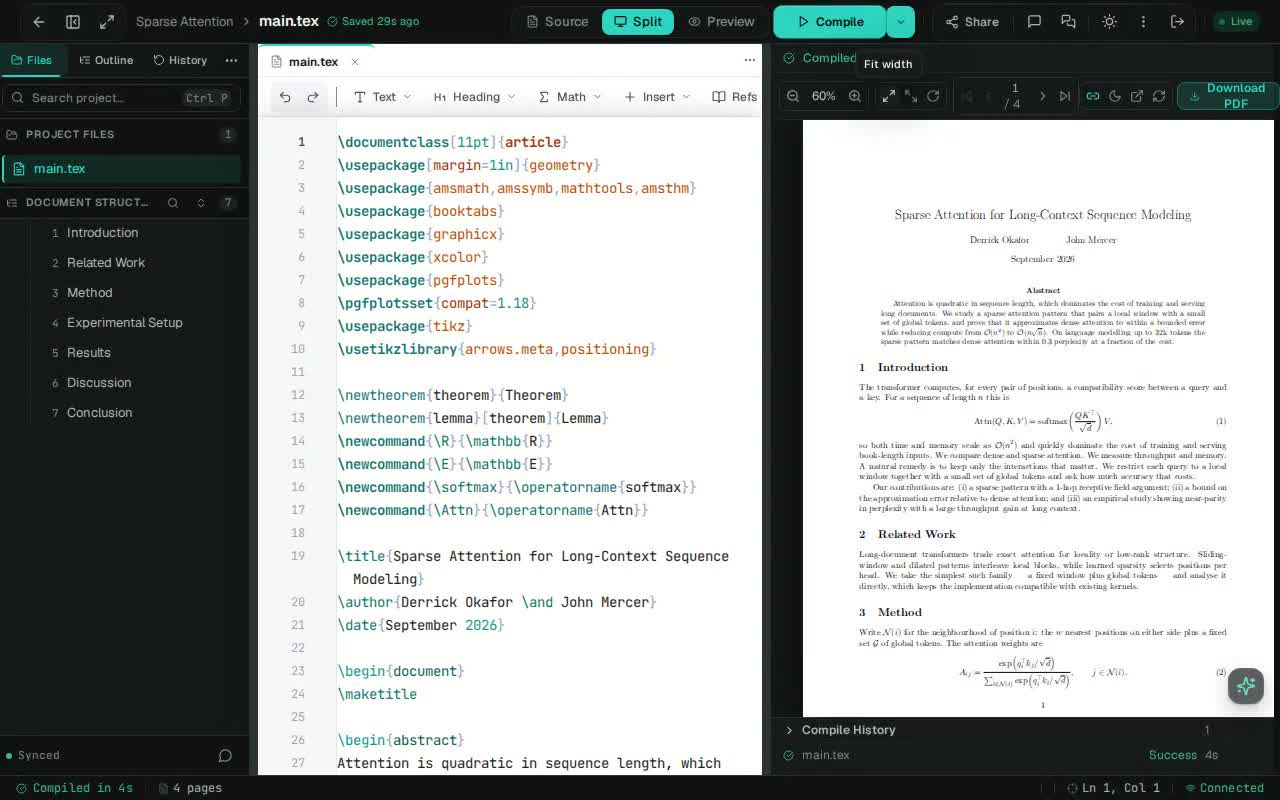
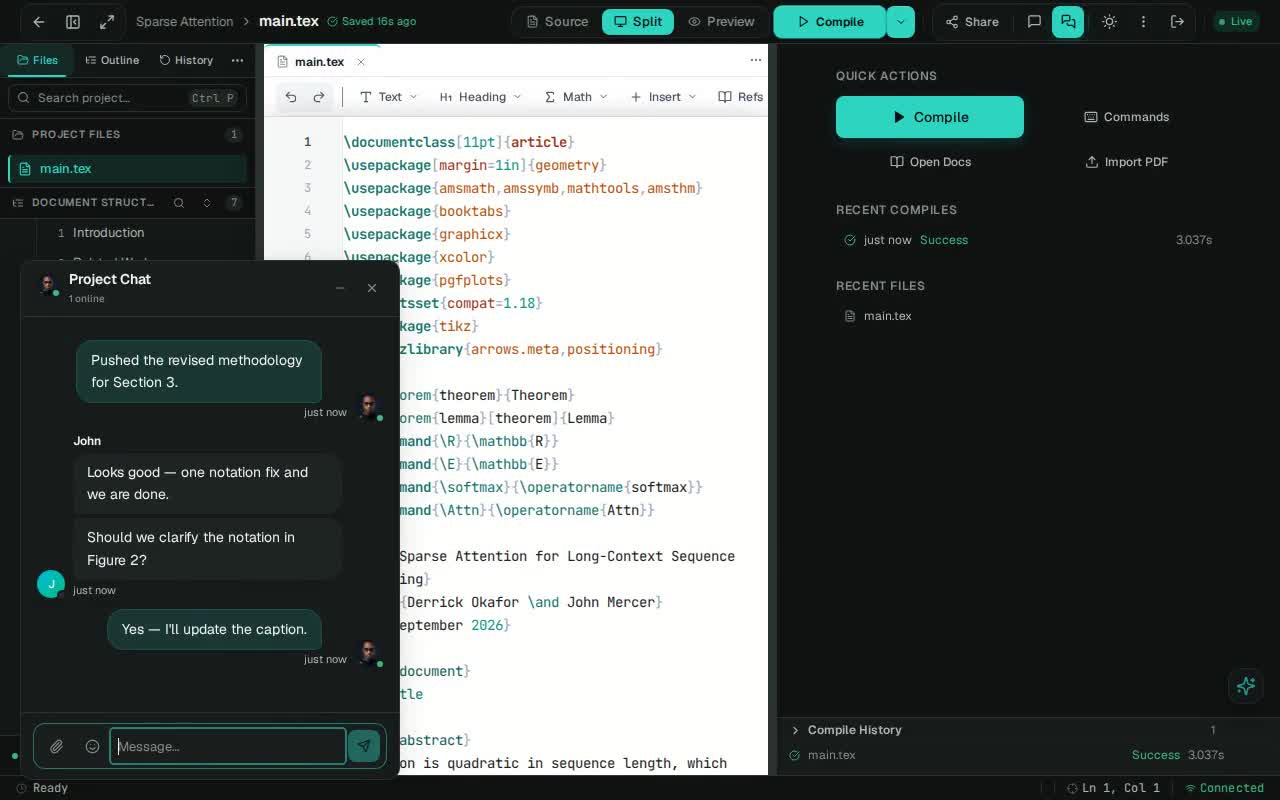
Talk about the paper, in the paper.
No more switching to Slack or email to discuss a figure placement. Resolve notation, review changes, and make decisions without leaving the editor.
- Real-time threads with live typing indicators
- Share files and images right in the conversation
- Unread counters for replies you won't miss
Bring the template you already use.
Already have a LaTeX project somewhere? Paste any public link — a GitHub or GitLab repository, a source ZIP, or a raw .tex file — and TexStylus turns it into an editable project.
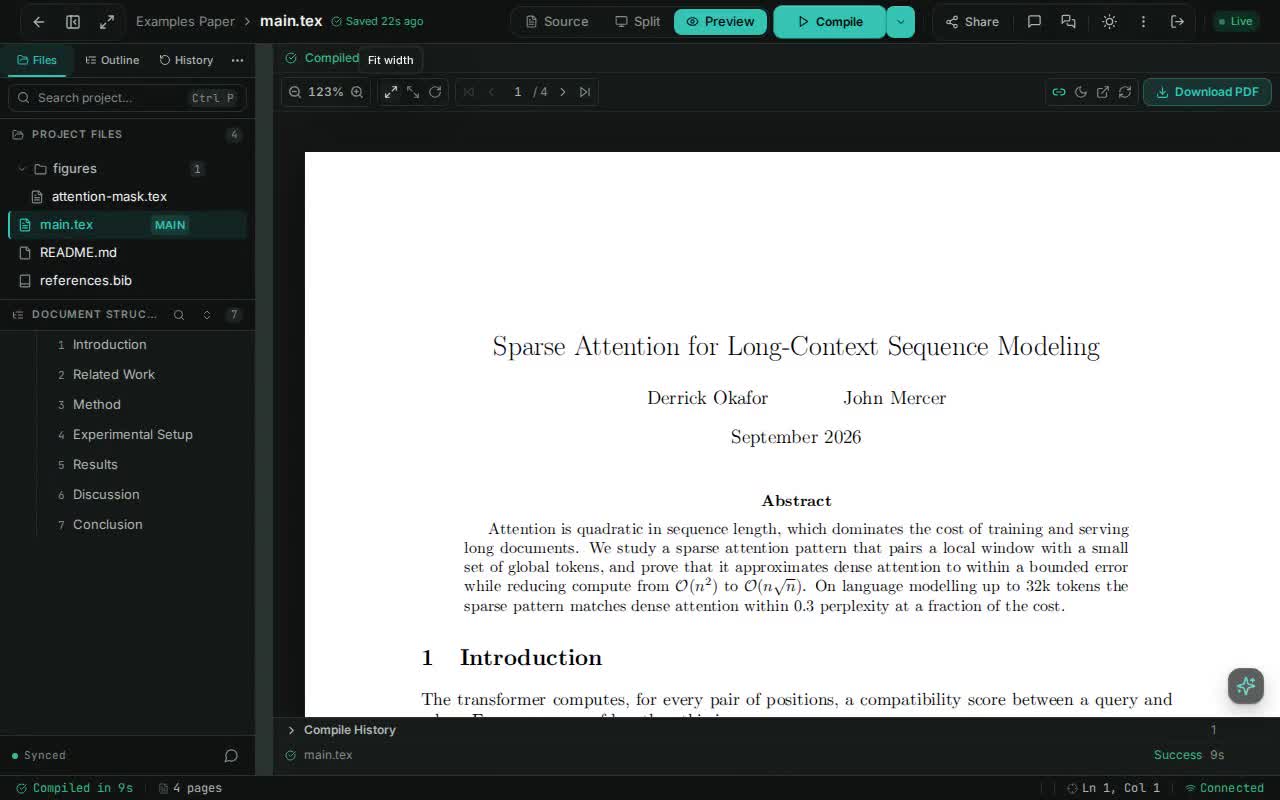
Repositories, archives, and raw source files — any public link works.
Run your research group on your own hardware.
Deploy once, then hand out accounts to your lab or a small course. Documents, history and compilation all stay on infrastructure you operate.
No per-seat fees · No vendor lock-in · Runs fully on your network
Your data stays yours
Documents, uploads and complete revision history live in infrastructure you operate — never on someone else's servers.
Compiles cannot reach out
Every build runs in a sandbox with no network, dropped capabilities, CPU/memory caps and a per-build writable workspace.
Backups you can restore
One command captures the database, objects and config. Database and config snapshots get SHA-256 checksums, with 7-day retention by default — and a matching script restores it.
Production-shaped from the first command.
The stack ships as one Docker Compose file: managed migrations, TLS, health checks for long-running services, backups and per-user quotas are already wired in.
Get TexStylus (access required)
Preparation commands are prerequisites, not part of the recorded deployment.
Full deployment prerequisites
- Linux host with Docker Engine and Docker Compose v2
- DNS A/AAAA records for the public hostname
- Inbound TCP 80 and 443 reachable from the public internet
- SSH access to the private repository
- GHCR read access for the private MinIO and sandbox images
- SMTP credentials for invite and password-reset testing
Deployment walkthrough ready.
Collaborators
editor · PDF · cursors
Traefik:80 / :443
TLS · routing · websockets
Web
next.js
API
fastify
Realtime
wss · sync
PostgreSQL
documents · versions
Redis
cache · queues
Object storage
files · media
AI gateway
byok · provider
Compile
docker → pdf
Sandbox
no network
Deployment complete
local capture- Website
- https://localhost(200)
- API
- healthy
- Collaboration
- healthy
- AI Gateway
- healthy
- Compilation
- healthy
- PostgreSQL
- healthy
- MinIO
- healthy
11 runtime services ready · 9 healthy · 2 without healthchecks · 3 one-shot services completed
12/12 applicable smoke checks passed; DOCX and WebSocket checks skipped because their required document-store state was unavailable.
This capture ran as an isolated local deployment. Public DNS, Let's Encrypt, clean-host GHCR pulls and public TLS were not verified. Your deployment uses the hostname and certificate you configure.
What you'd otherwise have to build
TLS & security headers
Per-user quotas
Role-based access
Append-only audit log
Metrics & tracing
S3-compatible MinIO storage is included, and self-hosted deployments can use bring-your-own AI provider keys.